
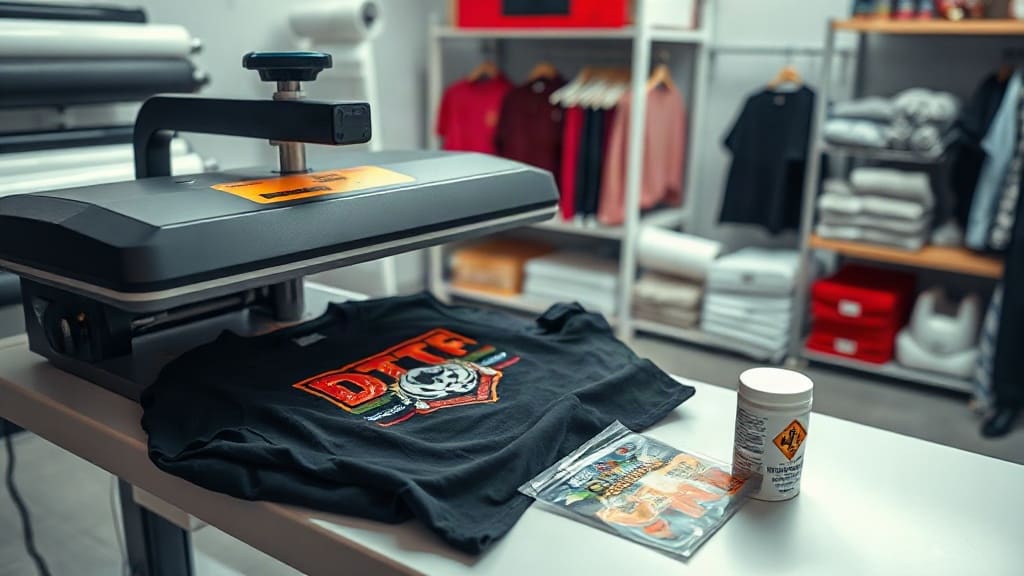
DTF transfers have taken the custom apparel industry by storm, offering a flexible and cost-effective way to create vibrant designs on various fabrics. Whether you are a small business owner, a hobbyist, or a large-scale printer, understanding this technology can open up new possibilities. In this guide, we will break down what DTF transfers are, how they work, and why they might be the perfect addition to your printing arsenal.
What Are DTF Transfers?
DTF (Direct to Film) transfers are a printing method where a design is printed onto a special PET film, coated with adhesive powder, and then heat-pressed onto a garment. Unlike traditional screen printing or DTG (Direct to Garment), DTF transfers allow you to print on a wide range of materials, including cotton, polyester, blends, and even leather or nylon. The process is relatively simple and requires minimal setup, making it ideal for both short runs and mass production.
The key advantage of DTF transfers is that you can print full-color, detailed images with a soft hand feel, without the need for underbase layers or complicated color separations. This makes DTF a go-to choice for designers and printers who want to offer high-quality custom apparel quickly.
How Do DTF Transfers Work?
The DTF process involves several steps, each crucial for achieving a durable and vibrant result. Here is a breakdown of the entire workflow, from design to final press.
Step 1: Design Preparation
First, you need to create or select your design using graphic design software like Adobe Illustrator, Photoshop, or a simpler program like Canva. The design should be in the correct file format, typically PNG with a transparent background. Make sure the resolution is at least 300 DPI to ensure crisp details. When preparing the file, consider mirroring the image because the transfer will be flipped when applied.
Step 2: Printing on PET Film
Next, the design is printed onto a specific PET film using a DTF printer. These printers are usually Epson-based and use specialized DTF inks (CMYK plus white). The white ink is essential because it acts as the underbase, ensuring that colors pop on dark garments. The print should be done in reverse (mirror image) so that when it is transferred, the final print appears correctly.
Step 3: Applying Adhesive Powder
While the ink is still wet, a hot-melt adhesive powder is applied over the printed design. The powder sticks only to the inked areas. After application, the film is passed through a heat source (like a curing oven or a heat press with a low temperature) to melt the powder and bond it to the ink. This creates a sticky layer that will later adhere to the fabric.
Step 4: Cutting and Weeding
Once the adhesive is cured, the film is cut around the design using a cutter or scissors. Weeding, which is removing the excess film, is usually unnecessary because the transfer is cut closely to the design shape. However, if there are any intricate parts, you might need to manually remove unwanted pieces.
Step 5: Heat Press Application
The final step is to place the transfer onto the garment and apply heat and pressure using a heat press. The recommended temperature is usually around 160°C (320°F) for 15-20 seconds, with medium to firm pressure. After pressing, peel off the film while it is still hot (or cold, depending on the specific product instructions). The result is a vibrant, durable print that stretches with the fabric.
Benefits of Using DTF Transfers
Why have DTF transfers become so popular? Here are several compelling reasons:
- Versatility: DTF works on a wide range of fabrics, including cotton, polyester, blends, and even tricky surfaces like nylon or leather. This makes it a universal solution for many apparel items.
- Vibrant Colors and Details: The white ink underbase ensures that colors remain bright and true, even on dark shirts. Fine details and gradients are reproduced accurately.
- Soft Hand Feel: DTF prints have a relatively soft texture compared to screen printing, making them comfortable to wear.
- Durability: When applied correctly, DTF transfers withstand repeated washing and stretching without cracking or peeling.
- Easy Setup: Unlike screen printing, there is no need for screens, emulsions, or complex registration. DTF allows for quick changes and short runs without extra setup costs.
- Cost-Effective for Small Quantities: Because there is no setup fee, DTF is perfect for low-volume orders and custom one-off pieces.
DTF vs. Other Printing Methods
To understand the value of DTF, it helps to compare it with other common techniques.
DTF vs. Direct to Garment (DTG)
DTG prints directly onto the shirt using a specialized printer. It offers excellent color and is great for detailed images, but it requires pre-treatment for cotton fabrics and has a slower production rate. DTF, on the other hand, allows you to print on transfer film in advance and press quickly, making it faster for bulk orders. DTF is also more versatile because it works on polyester without issues, while DTG may have limitations.
DTF vs. Screen Printing
Screen printing is renowned for its durability and lower cost per unit for large quantities. However, it is not practical for small orders due to setup costs and color separation complexity. DTF offers a similar level of durability and can be cost-effective for small to medium runs, though for very large quantities, screen printing may still be cheaper per piece.
How to Use DTF Transfers at Home or in a Small Business
You might be wondering if DTF is accessible for a small operation. The answer is yes. With an entry-level DTF printer, a heat press, and some consumables, you can start producing professional-looking transfers. Here are some tips to ensure success:
- Invest in Quality Equipment: A reliable DTF printer and heat press are crucial. Look for models with good reviews and support.
- Use High-Quality Inks and Films: The quality of your consumables directly affects the final print. Choose reputable brands that offer consistency.
- Calibrate Your Press: Temperature and pressure can vary, so test on scrap fabric to find the optimal settings.
- Practice Layering: If you need to add multiple colors, plan the order of application to avoid overlapping issues.
- Ensure Proper Adhesive Application: Too little powder will result in weak adhesion; too much can cause a thick, plastic feel. Follow the manufacturer's guidelines.
Common Issues and How to Fix Them
Even experienced printers encounter problems. Here are some common DTF issues and solutions:
Print Won't Adhere Properly
If the transfer peels off easily, the temperature or pressure may be insufficient. Try increasing the temperature by 10 degrees and extending the pressing time by a few seconds. Also, ensure the adhesive powder is properly cured.
Colors Look Washed Out
This could be due to insufficient white ink underbase. Check that the printer is laying down a consistent layer of white. Also, ensure the film is not defective.
Film Sticks to Garment
If the film doesn't release cleanly, it might be because you are peeling while it's too hot. Try waiting a few seconds or use the cold peel method if the manufacturer recommends it.
Cracking After Washing
Usually, this indicates that the transfer was not cured properly or the fabric is not suitable. Always follow the recommended washing instructions: turn the garment inside out, use cold water, and avoid tumble drying.
Frequently Asked Questions
Can I use DTF transfers on any fabric?
Yes, DTF transfers are highly versatile. They work well on cotton, polyester, cotton-poly blends, and even on materials like nylon or leather. However, for best results, always test on a small area first to ensure compatibility, especially with delicate or coated fabrics.
How many washes can a DTF transfer withstand?
With proper application and care, a DTF transfer can withstand 50 or more washes without significant fading or cracking. Following the care instructions, such as washing inside out in cold water and avoiding bleach, will extend the life of the print.
Do I need to mirror the design for DTF?
Yes, you must mirror your design before printing because the transfer will be flipped when applied. Most DTF printing software has a mirror function, but you can also do it in your design program.
What is the cost difference between DTF and screen printing?
For low to medium quantities (up to, say, 50 pieces), DTF is often more cost-effective because there are no screen setup costs. For very large orders (hundreds of pieces), screen printing may have a lower per-unit cost, but DTF offers the advantage of no minimum order and faster turnaround.
Can I print DTF transfers at home?
Yes, you can start with a compact DTF printer and a heat press. Many hobbyists use desktop models. Just ensure you have proper ventilation and enough space for the equipment and consumables.
Final Thoughts on DTF Transfers
DTF transfers offer an exciting opportunity for custom apparel printers to expand their capabilities without massive investments. Whether you are creating personalized gifts, building a clothing brand, or fulfilling commercial orders, DTF provides a flexible, high-quality solution. By understanding the process, investing in good equipment, and practicing your technique, you can achieve professional results that delight your customers. So why not give DTF a try? It might just become your favorite printing method.