
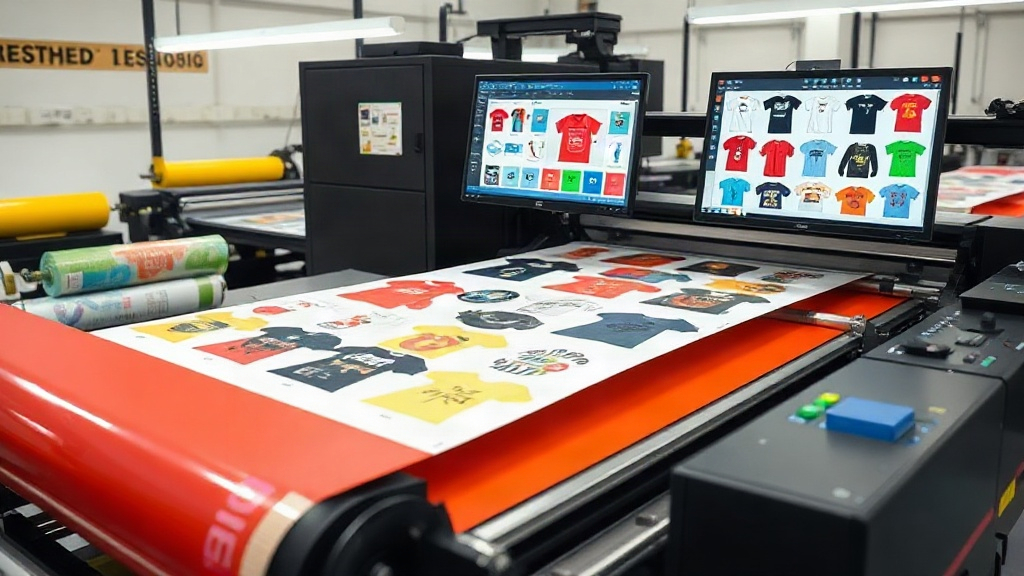
If you run a custom apparel business, you already know that time is money. Every minute spent manually arranging designs on transfer film is a minute you could spend fulfilling orders or growing your brand. That is where a DTF gangsheet builder comes in. This tool lets you combine multiple designs into a single sheet, saving you film, ink, and labor. But not all gang sheet builders are created equal, and how you use them can make or break your profit margins. In this guide, we will dive deep into the world of DTF printing and show you how to master the gang sheet builder for maximum efficiency.
What Is a DTF Gangsheet Builder and Why Does It Matter?
A DTF gangsheet builder is software or an online tool that helps you arrange multiple DTF transfer designs onto a single sheet of film. Instead of printing each design separately, you nest them together like a puzzle, optimizing the use of space. This approach dramatically reduces wasted film and ink, and it speeds up the entire printing process.
Why does this matter? Because in the DTF printing world, every inch of film and every drop of ink counts. If you are printing one-off designs, you are likely wasting a lot of material. By using a gang sheet builder, you can fill every square inch with designs, cutting your material costs by up to 50% or more. Plus, you spend less time loading and unloading the printer, which means faster turnaround times for your customers.
How to Choose the Right DTF Gangsheet Builder
Not all gang sheet builders are built the same. Some are basic, offering simple drag-and-drop functionality, while others come packed with advanced features like automatic nesting, size optimization, and integration with your printer. When evaluating options, consider these factors:
- Ease of use: Can you quickly upload designs, resize them, and arrange them without a steep learning curve?
- Nesting algorithms: Does the software automatically find the best arrangement to minimize waste?
- Compatibility: Does it support your printer and film sizes?
- Cost: Is it a one-time purchase, subscription, or free? Free tools can be great, but they may lack advanced features.
- Customer support: If you run into issues, can you get help quickly?
Many professional DTF printers swear by dedicated gang sheet builders that integrate with their RIP software. Others prefer standalone online tools that work with any printer. The best choice depends on your volume and workflow.
Step-by-Step: Using a DTF Gangsheet Builder Like a Pro
Ready to create your first gang sheet? Follow these steps to ensure a smooth process and high-quality results.
1. Prepare Your Designs
Before you even open the gang sheet builder, make sure your designs are ready. They should be in a high-resolution format, typically PNG with a transparent background. Check that the colors are vibrant and the edges are clean. If you are using white ink, ensure your design has proper underbase settings. A common mistake is uploading low-res images, which leads to poor print quality.
2. Select the Right Film Size
Gang sheet builders let you choose the sheet size. Common sizes are 12x12 inches, 12x24 inches, and 13x19 inches. The size you pick depends on your printer's maximum print area and the number of designs you want to fit. Larger sheets are more efficient, but they require a printer that can handle them. If you are just starting, 12x12 is a safe bet.
3. Arrange Designs for Maximum Efficiency
This is where the magic happens. Use the builder's drag-and-drop interface to place your designs. Aim to fill every gap. Rotate designs if needed to fit them into tight spots. Many builders have an auto-arrange feature, but manual tweaking can often squeeze in one more design. Remember to leave a small margin between designs (about 0.1 to 0.2 inches) to make cutting easier.
4. Check Ink Coverage and White Underbase
In DTF printing, white ink is used as a base for vibrant colors on dark garments. Your gang sheet builder should allow you to set the white underbase for each design. Be mindful of ink coverage: too much white ink can make the transfer stiff, while too little can cause colors to look dull. Most builders have presets for different fabric types.
5. Print and Cure
Once your gang sheet is ready, send it to your DTF printer. After printing, apply hot melt adhesive powder and cure the sheet according to your powder and film specifications. Then, you can cut out each design and store them for later use. Proper curing ensures the transfers last wash after wash.
Advanced Tips for Maximizing Your Gang Sheet Efficiency
If you want to take your DTF printing to the next level, these advanced tips will help you get the most out of your gang sheet builder.
Use Nesting Software
Some gang sheet builders include nesting algorithms that automatically rotate and position designs to minimize waste. This is especially useful if you have many small designs. If your builder lacks this feature, consider using a separate nesting tool or manually rotate designs to fill gaps.
Group Similar Designs
If you have multiple designs that use the same color profile, group them on the same sheet. This reduces the need to switch ink settings and can improve color consistency. Also, if you have designs that are frequently ordered together, gang them together to streamline order fulfillment.
Standardize Your Sheet Sizes
Instead of using custom sizes for every job, standardize on a few sheet sizes that match your printer's capabilities. This makes it easier to plan and reduces setup time. For example, you might use 12x12 for small orders and 12x24 for larger ones.
Keep a Library of Gang Sheets
Save your gang sheet layouts as templates. If you frequently print the same designs, you can reuse the layout, saving time and ensuring consistency. Many builders allow you to save projects, so take advantage of that.
Common Mistakes to Avoid with DTF Gangsheet Builders
Even experienced printers make mistakes. Here are some pitfalls to watch out for.
- Overcrowding: Trying to fit too many designs on one sheet can lead to cutting errors and ink smudging. Leave enough space between designs.
- Ignoring print direction: Some designs need to be oriented a certain way for proper transfer. Always check the orientation before printing.
- Forgetting about shrinkage: Film can shrink slightly during curing. Account for this by leaving a bit more space around designs.
- Using low-quality film: Cheap film can cause transfers to peel or fade. Invest in high-quality DTF film for best results.
Frequently Asked Questions About DTF Gangsheet Builders
What is the best free DTF gangsheet builder?
There are several free options available, but they often lack advanced features like auto-nesting. Some popular free tools include those offered by film suppliers. However, for professional use, investing in a paid builder with robust features is usually worth it.
How do I calculate the cost savings from using a gangsheet builder?
To calculate savings, compare the amount of film and ink used when printing designs individually versus ganging them. Typically, you can save 30-50% on materials. Track your usage over a month to see the exact impact on your bottom line.
Can I use a gangsheet builder with any DTF printer?
Most gangsheet builders are software-based and can work with any DTF printer as long as you can export the layout as an image file. However, some builders integrate directly with specific printer RIP software for a smoother workflow.
How often should I update my gangsheet builder software?
Check for updates regularly, as developers often add new features and improve nesting algorithms. Updates can also fix bugs that might affect print quality.
What file format should I use for designs in a gangsheet builder?
PNG with transparent background is the standard. Some builders also support PDF or TIFF. Always use high-resolution files (300 DPI or higher) for best results.
Final Thoughts
Mastering the DTF gangsheet builder is a game-changer for any custom apparel business. It streamlines your workflow, reduces waste, and boosts your profit margins. By following the tips in this guide, you can create efficient gang sheets that print beautifully and stand up to the rigors of daily wear. Remember, the key is to experiment, track your results, and continuously refine your process. Happy printing!